Skip to content

4K-first · 190+ countries · live in five minutes

4K IPTV Subscription That Actually Looks Like 4K

What separates a real 4K IPTV provider from a cheap one is bitrate and server headroom on a Saturday night, not the number in the channel name. 54,000+ live channels, 219,577 on-demand titles, up to five screens at once — and a 7-day money-back guarantee on every plan.

True 4K & 8K feedsLive in ~5 minutesPeak-hour headroom190+ countriesHumans on WhatsAppCancel any time

Live preview

Channel List

A live look at what's actually streaming right now — search or browse by country.

Plans & pricing

4K IPTV subscription plans

Two tiers, four lengths, one to five screens. Both tiers run on the same servers with the same 24/7 support — Premium adds the true 4K and 8K feeds and the full on-demand catalog. Use the toggle to compare.

Premium

True 4K where the broadcaster supplies it

Recommended

1 Month

$20

Billed monthly · cancel anytime

  • 54,000+ live channels
  • 4K and 8K where the source exists
  • 219,577 movies and series on demand
  • Up to 5 simultaneous screens
  • Priority queue on 24/7 support

3 Months

$50

$16.67/mo · one-time

  • 54,000+ live channels
  • 4K and 8K where the source exists
  • 219,577 movies and series on demand
  • Up to 5 simultaneous screens
  • Priority queue on 24/7 support

6 Months

$80

$13.33/mo · one-time

  • 54,000+ live channels
  • 4K and 8K where the source exists
  • 219,577 movies and series on demand
  • Up to 5 simultaneous screens
  • Priority queue on 24/7 support
Best value

12 Months

$120

$10/mo · one-time

  • 54,000+ live channels
  • 4K and 8K where the source exists
  • 219,577 movies and series on demand
  • Up to 5 simultaneous screens
  • Priority queue on 24/7 support

Basic

HD and FHD, same servers underneath

Value plan

1 Month

$15

Billed monthly · cancel anytime

  • 22,000+ live channels
  • HD and FHD picture
  • 127,794 movies and series on demand
  • Up to 4 simultaneous screens
  • Same 24/7 support

3 Months

$25

$8.33/mo · one-time

  • 22,000+ live channels
  • HD and FHD picture
  • 127,794 movies and series on demand
  • Up to 4 simultaneous screens
  • Same 24/7 support

6 Months

$40

$6.67/mo · one-time

  • 22,000+ live channels
  • HD and FHD picture
  • 127,794 movies and series on demand
  • Up to 4 simultaneous screens
  • Same 24/7 support
Best value

12 Months

$60

$5/mo · one-time

  • 22,000+ live channels
  • HD and FHD picture
  • 127,794 movies and series on demand
  • Up to 4 simultaneous screens
  • Same 24/7 support

Honest comparison

4K IPTV vs cable, and vs the cheap IPTV providers

Three columns, no asterisks. Where cable genuinely wins a row, the row says so.

ip4ktvCable / satelliteBudget IPTV reseller
Cost per month$5–$20$70–$130$4–$8
Live channels54,000+150–300Varies wildly
Genuine 4K feedsYes, at the source bitrateA handful of channelsLabeled 4K, rarely is
On-demand catalog219,577 titles includedRental, per titleSmall and stale
Screens at once1–5, you chooseExtra box, extra fee1, often enforced
Saturday-night stabilityCapacity held in reserveExcellentWhere it falls over
Minimum termNone12–24 monthsNone
Same provider next yearOur own panel and serversYesCoin flip
Time to first streamAbout 5 minutesAn installer appointmentMinutes to days

IPTV setup

Install IPTV on Firestick, Smart TV, Apple TV and the rest

Nothing to buy and nothing to post — the subscription runs on hardware you already own. Pick your device for the exact steps.

IPTV on Amazon Firestick & Fire TV

The most common install by a wide margin, and the quickest.

  1. 1Allow apps from unknown sources in Settings → My Fire TV → Developer Options.
  2. 2Install the Downloader app from the Amazon appstore.
  3. 3Enter the short URL from your activation email and install the player.
  4. 4Open it and paste the Xtream Codes login we sent you.

Full walkthrough with screenshots: /setup/firestick

IPTV on Samsung, LG & other smart TVs

No stick and no box — the player installs from the TV's own store.

  1. 1Open your TV's app store and install a supported IPTV player.
  2. 2Note the device key or MAC address the app displays.
  3. 3Send it to us on WhatsApp and we bind it to your line.
  4. 4Reopen the app and the channel list loads by itself.

Per-brand steps: /setup/samsung-tv and /setup/lg-tv

IPTV on Apple TV, iPhone & iPad

Works on current tvOS and iOS with no jailbreak and no sideloading.

  1. 1Install a supported player from the App Store.
  2. 2Add a playlist using the Xtream Codes option.
  3. 3Paste the server URL, username and password from your email.
  4. 4Sign in once on Apple TV and it carries to your other Apple devices.

Full walkthrough: /setup/apple-tv and /setup/iphone

IPTV on Android phones, tablets & TV boxes

The most flexible platform, and the one most resellers test on.

  1. 1Install a supported player from Google Play.
  2. 2Choose to add a playlist by Xtream Codes login.
  3. 3Enter the server URL, username and password.
  4. 4Let the TV guide load once, then pin your favorite channels.

Full walkthrough: /setup/android

IPTV on Windows PC & Mac

Useful for testing your line before you touch the living-room TV.

  1. 1Install VLC or a dedicated desktop IPTV player.
  2. 2Open a network stream and paste the M3U URL from your email.
  3. 3The full channel list loads in one pass.
  4. 4Keep that URL private — it is your subscription.

Full walkthrough: /setup/windows and /setup/macos

Verified subscribers

Twelve people, one question each

A month after activation we ask everyone the same thing: what actually changed? These are the replies, trimmed for length and nothing else.

  • Bought a 65-inch OLED and then worked out my old provider was feeding it 720p upscaled into oblivion. Same television, same evening, switched over — the difference was not subtle. Sport finally looks like sport.
    Tomas R.United States
  • The trial sold it. I ran the same football match side by side on two sticks against my old IPTV subscription. One stuttered at every corner. This one did not move once. Canceled the other that evening.
    Aisha N.United Kingdom
  • Two teenagers, one football-obsessed father, a television each. Three connections on the yearly plan costs me less per month than a single cinema ticket and nobody argues about the remote any more.
    Grzegorz W.Germany
  • I am not technical. One message on WhatsApp, a real person answered, and they stayed with me until the app on my Samsung was showing channels. Fifteen minutes on a Sunday, start to finish.
    Marie-Claude D.Canada
  • Eight until eleven at night is where every cheap IPTV service I have tried falls apart. Four months here and I have not seen the buffering wheel once inside that window. That is the entire review.
    Diego F.Spain
  • Picture quality and the channel list are excellent. I did need help getting the playlist into TiVimate on an older box, and the guide covered it but I had to read it twice. Faultless since then.
    Chen L.Australia
  • I work nights so almost everything I watch is on demand. The catalog is enormous and, more to the point, the files are genuinely high bitrate rather than 4K in the title and mush on the screen.
    Nadia H.France
  • Sixty-one years old and I installed this on the Firestick myself from the walkthrough. That has never once been true of anything else I have bought over the internet.
    Peter M.Ireland
  • One house needs Arabic, English and an Indian sports channel. All present in HD, and the servers are near enough that nothing lags in the evening. My old provider managed two of the three.
    Rashid A.UAE
  • Ninety euros a month on a cable bundle I half-watched, replaced by a yearly IPTV subscription costing less than two of those months. I should have done it three years ago.
    Ingrid S.Netherlands
  • I have tried five of these now. First one where a channel badged 4K was genuinely 4K instead of a stretched HD feed. That is the only reason I stayed past the first month.
    Luis O.United States
  • I resell to about forty customers locally. Credits do not expire, the panel does what it says, and when something is genuinely server-side I get a person rather than a ticket number. That matters more than the margin.
    Katarina B.Sweden

Why your last IPTV service kept buffering

Nearly every complaint about IPTV traces to one of four causes. None are mysterious, and none of them are your broadband.

It stutters every night between 8pm and 11pm

The real cause
The provider oversold a server. Everyone in your region arrives at once and the available bitrate collapses for all of you together.
What we do about it
We cap subscribers per server well under capacity and add hardware before the ceiling rather than after the complaints. Peak hour looks like 3am.

Channels badged 4K look soft or blocky

The real cause
An HD feed relabelled and upscaled. The resolution field reads 2160p while the actual bitrate is nowhere near enough to fill it.
What we do about it
Our 4K channels carry a genuine 4K source at full bitrate. Where a broadcaster only supplies HD we label it HD instead of inflating the number.

The subscription worked a month, then vanished

The real cause
A reseller renting capacity month to month from somebody else. When their upstream disappears, so does everyone they sold to.
What we do about it
We run our own panel and our own servers. Your line is provisioned by us, and the people answering support operate the infrastructure.

Big matches drop at exactly the wrong moment

The real cause
A major fixture spikes concurrent viewers onto a handful of channels. Without reserved headroom those specific streams fail while everything else looks fine.
What we do about it
Event channels get capacity reserved ahead of the fixture list. It is the single most common reason people move to us and then stay.

The catalog

What your subscription includes

54,000+
Live channels across 190+ countries
219,577
Films and series on demand
99.99%
Measured server uptime
1–5
Screens streaming at the same time

Unedited

What our support actually looks like

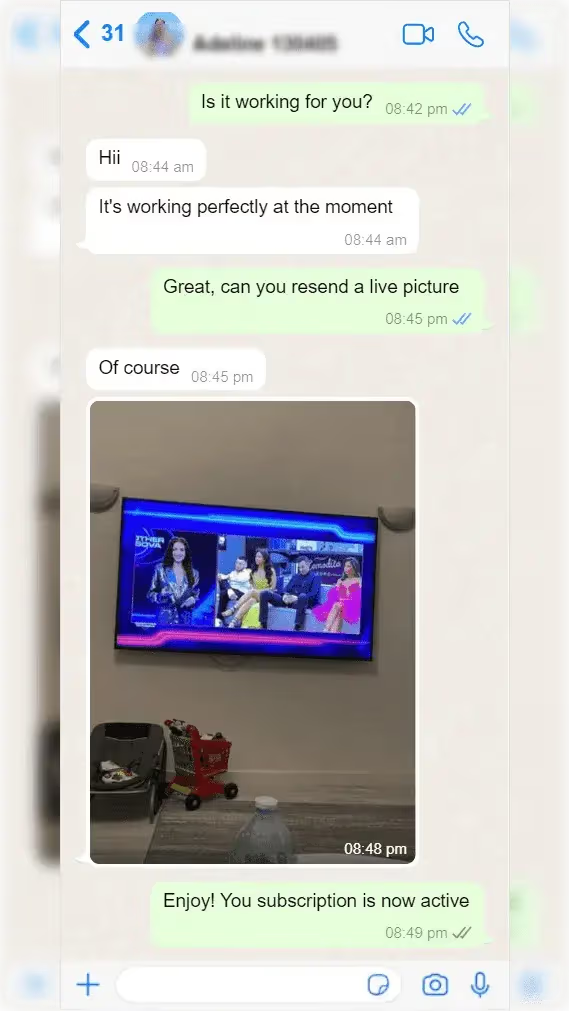
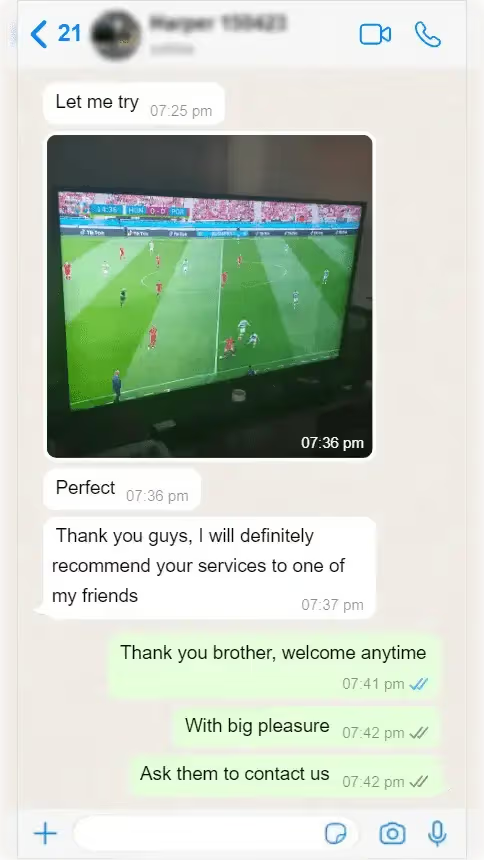
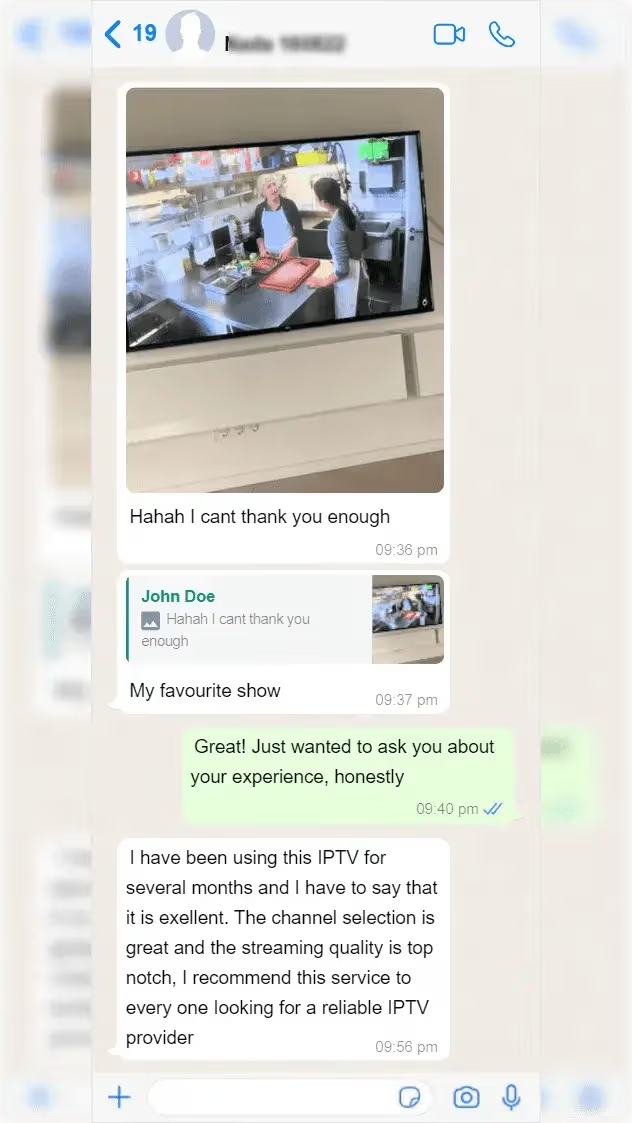
Screenshots straight from the support inbox, names blurred. Not testimonials we drafted — conversations that happened.

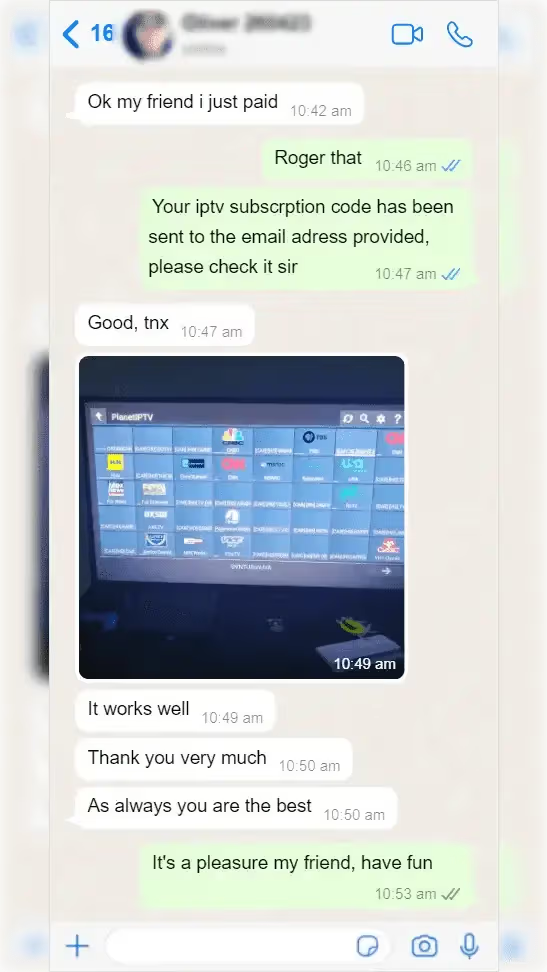
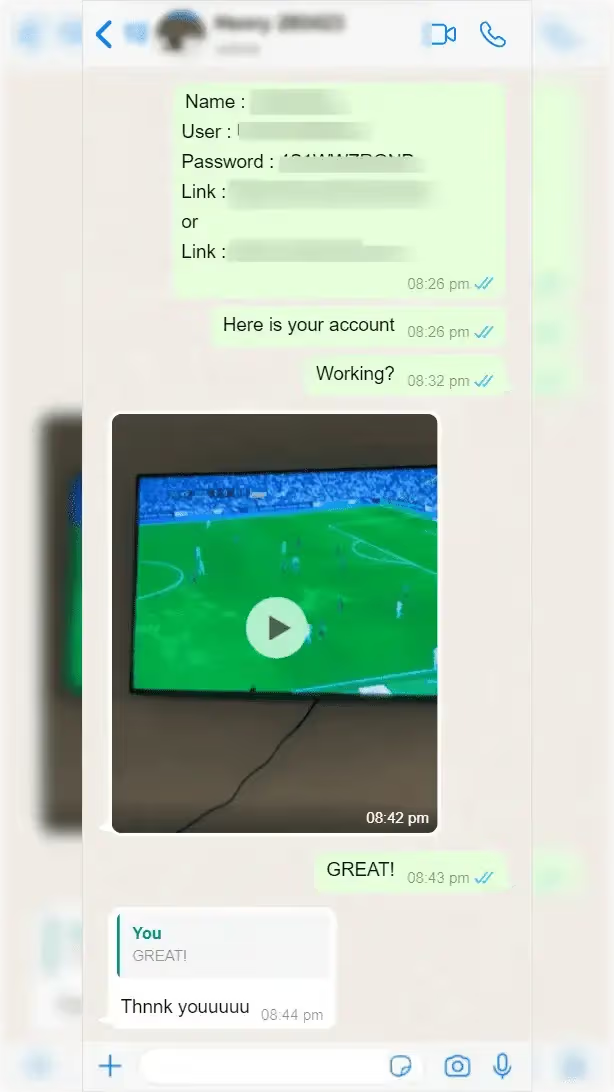
Real WhatsApp threads
  • WhatsApp conversation with a subscriber, Oliver
    Paid, had his login by email, and sent a photo of it running on the TV nine minutes later.
    OliverVerified
  • WhatsApp conversation with a subscriber, Marc
    Asked whether an ageing Android box would cope. It did, and he came back to say so.
    MarcVerified
  • WhatsApp conversation with a subscriber, Daniel
    Wanted a second screen added mid-subscription. Handled inside the same conversation.
    DanielVerified
  • WhatsApp conversation with a subscriber, Stephen
    Checked back a month later, unprompted, to report that nothing had dropped.
    StephenVerified
  • WhatsApp conversation with a subscriber, Emeka
    Sent a photo of his kitchen TV mid-show and got a straight answer on picture quality.
    EmekaVerified

Where people start

Three ways to buy an IPTV subscription here

Almost everyone lands on one of these. All three carry the identical channel lineup — what differs is commitment and how many screens you need.

1

Test it on a 24-hour trial

$5

One connection for a day. Same servers, same lineup, no reduced quality — the entire point is to watch your own channels at your own peak hour before committing to a year.

  • Full 54,000-channel lineup
  • Runs on every supported device
  • Upgrade later without redoing setup
  • One screen only
  • Expires after 24 hours
2

Take the year on Premium

$10/mo

Twelve months of Premium at the lowest effective monthly rate we publish. This is where most subscribers settle, usually after trying a shorter plan first.

  • Lowest price per month
  • 4K and 8K where available
  • Up to 5 simultaneous screens
  • Priority support queue
  • Paid up front
3

Sell it on a reseller panel

Credits

Your own panel for creating and managing lines for other people. Credit bundles, your own retail pricing, and the same infrastructure behind every line you issue.

  • Your own panel login
  • Volume discounts on credits
  • Direct operator support
  • Ordered through a person, not a checkout

Before you subscribe

4K IPTV questions people actually ask

What internet speed do I need for a 4K IPTV subscription?
Budget roughly 25 Mbps for a stable 4K stream and about 10 Mbps for FHD, per screen playing at once. A household running two 4K screens simultaneously wants around 50 Mbps of real throughput. Wired ethernet beats Wi-Fi every time for the main television; if you must use Wi-Fi, 5 GHz rather than 2.4 GHz makes the larger difference.
Is a 4K IPTV subscription actually worth it over a cheaper HD one?
Only if two things are true: your television is genuinely 4K, and your provider carries a real 4K source rather than an upscaled HD feed. On a 55-inch or larger panel the difference on sport and nature programming is obvious. On a smaller screen, or over a connection under 25 Mbps, the Basic tier is the honest recommendation and we would rather say so than sell you the upgrade.
Can one IPTV subscription run on more than one TV?
Yes — that is what connections are. You can install the player app on as many devices as you like; the limit is how many play at the same moment. One television in the evening needs one connection. A house where the children watch in their room while you watch sport needs two. You can add or drop connections mid-subscription by messaging support.
How is this different from a $5 IPTV provider?
On a quiet Tuesday afternoon, barely at all. The difference shows up between 8pm and 11pm and during major fixtures, when an oversold server runs out of bitrate and every stream on it degrades together. We cap subscribers per server below capacity and reserve headroom ahead of big events. That is what the price difference buys — not a longer channel list.
Does it work with Firestick, Smart TV and Apple TV?
All three, plus Android phones and boxes, iPhone and iPad, Roku, MAG set-top boxes, Windows and macOS. Firestick and Android are the fastest to set up. Samsung, LG and MAG devices need a one-off device-key or MAC bind, which support does manually while you wait. Step-by-step guides for all fourteen devices live under our installation section.
How quickly does an IPTV subscription activate after payment?
Around five minutes in the ordinary case. Payment clears, your Xtream Codes login arrives by email, you paste it into the player on your device and the channel list populates. If anything stalls, the same WhatsApp number that answers pre-sales questions will walk you through it live rather than routing you into a ticket queue.
What happens when my subscription expires?
It stops. Nothing auto-renews and no card is kept on file, so an expired line simply stops loading channels until you buy another period. We send a reminder three days before expiry. Your device setup stays exactly as it is — renewing reactivates the same credentials, so there is nothing to reinstall.
Can I resell IPTV subscriptions with my own panel?
Yes. The reseller program gives you a panel login for creating and managing lines, with credit bundles priced by volume — one credit is one line for one month, and credits do not expire. You set your own retail price and we do not sell to your customers behind you. Every bundle rate is published on the reseller page; the order itself is arranged over WhatsApp.

Five minutes from now

Put a real 4K stream on your TV tonight

Start with a 24-hour trial if you want proof first, or go straight to a plan — every one of them carries the same 7-day refund, no forms and no retention script.

No contract. Nothing auto-renews. 7-day money-back on every plan.

Need Help?